
.png)

How to register on the new IRATA International platform.
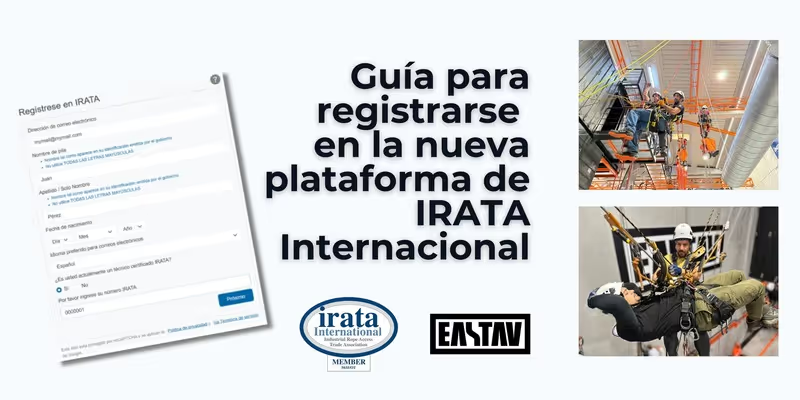

If you are a certified technician by ANGRY, it is essential that you know IRATA TechConnect, the new official platform launched by the organization to manage your information, certifications and more.
Starting from May 30, 2025, it will be obligatory That all the technicians are registered with IRATA TechConnect before being evaluated. In EASTAV, as an authorized training center, we want to make sure that you are ready for this important change and know exactly How to register on the new platform.
What is IRATA TechConnect?
IRATA TechConnect is the new online portal for IRATA technicians. It replaces the previous system and offers a more modern and centralized experience for you to manage all your data as a rope access professional.
What can you do on TechConnect?
Soon, you'll also be able to download your digital certification directly from the platform.

Why is it important to sign up for TechConnect?
Starting from May 30, 2025, it is mandatory that all technicians are registered with IRATA TechConnect before being evaluated.
This means that:
How to register for IRATA TechConnect?
In the next section we leave you the Detailed step by step so you can register without errors. You need to have it handy.
Valid photo ID:
If you have questions, you can contact IRATA directly by writing to registration@irata.org, or visit their page of Frequently Asked Questions.
Step by step to register for IRATA TechConnect
Step 1: Sign in to https://techconnect.irata.org/login , select your preferred language and click on the “Not registered yet?” option.

Step 2: Complete the requested data, including your IRATA number.

Step 3: In your email you will receive a message from “IRATA registrations”, enter and click on “Verify email”

Step 4: If you are on your mobile phone, go to the “Or click here” button, if you are using an iPad, select the corresponding option. If you're using a computer, you'll need to scan the QR code from your phone.

Step 5: The system prompts you to download the “ID-Pal” application, necessary for the validation of your identity

Step 6: Select a document to validate your identity.
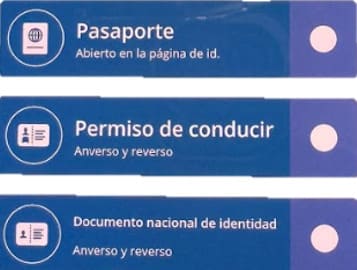
Step 7: Click “Start” and scan your document both front and back, avoiding light reflections that could affect the reading of the data. Then wait for the system to process the information.

Step 8: Finally, when your data has been validated, you will receive a confirmation email!

Remember that if you have any problems you can write to registration@irata.org, or visit the page of Frequently Asked Questions from IRATA.
Share this information with your technical colleagues and don't let anyone be left out!



Related professional teams
Certified material used and recommended by our technicians.
Train yourself for the most popular technical profiles
IRATA, GWO training and certified professional courses to access qualified, safe and recognized jobs in work at height and industry.